What players say
Find Objects offers a pleasant hidden object experience with well-drawn scenes and a clear objective. The hint system prevents frustration, and the variety of themes keeps each level interesting. It is a good choice for casual puzzle fans who want a low-pressure challenge. The controls work smoothly on both desktop and mobile, making it easy to play during short breaks.
About this game
Game Introduction
Find Objects - Hidden Item Puzzle Game is a relaxing observation game where players search for specific items hidden within detailed, themed scenes. The core objective is to locate all listed objects, such as 8 lanterns or 10 kites, in each location. The game offers a variety of visual themes, from a zombie city to the world of Atlanteans, the Middle Ages, and a world tour, providing a fresh experience with each level. Designed to be accessible and family-friendly, it suits players of all ages who enjoy calm puzzle challenges.
How to Play
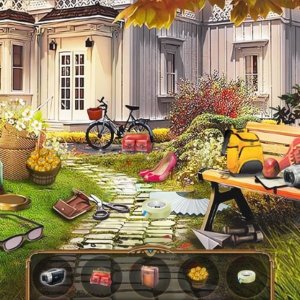
To play, select a location from the main menu to enter a scene. Use your mouse or finger to move the map and explore the entire image. At the bottom of the screen, you will see a list of objects to find and how many remain. Carefully inspect the scene and click on each hidden item when you spot it. If you get stuck, use the magnifying glass icon for a hint. Find all objects to complete the level and unlock the next location. The game works on PC, mobile phones, and tablets.
Game Features
Explore diverse themed worlds with unique artwork, including a zombie city, Atlantean realm, Middle Ages, and world tour. The intuitive map navigation allows you to move the scene easily. A hint system provides assistance when you need it. The content is family-friendly and suitable for all ages. Full-screen support enhances immersion on any device. The game offers a calm pace and satisfying challenge, with simple controls that make it easy to pick up and play anytime.
Tips for Success
Take your time scanning each scene systematically to avoid missing objects. Use the hint system sparingly to preserve the challenge. Pay attention to object shapes and colors that may blend into the background. Practice regularly to improve your observation skills. If you feel stuck, step away briefly and return with fresh eyes. Enjoy the relaxing pace and don't rush—the goal is to have fun while finding each hidden item.