Boeing 737 Flight Deck Simulator

Developer: Wood Shift Works
Updated: 2026-07-20
Boeing 737 Flight Deck Simulator
Play Now - It's Free

Report an Issue

Let us know what's wrong with this game

Review

This simulator captures the essence of flying a commercial jet without requiring a home cockpit. The interactive flight deck is its standout feature, with every switch and display functioning as expected. Flight planning through the FMC adds a layer of strategic depth that sets it apart from simpler arcade-style simulators. The customizable conditions allow for varied experiences, from calm visual approaches to challenging instrument landings in poor weather. While it lacks the visual polish of high-end payware, its browser-based accessibility and focus on procedural accuracy make it a valuable tool for learning and practice.

About This Game

Cockpit Realism

The heart of this simulation is its interactive flight deck. Every switch, button, and display responds to your input, creating an environment that mirrors the real aircraft. The overhead panel, pedestal, and main instrument panel are all accessible, allowing you to manage electrical systems, hydraulics, and pressurization. This level of detail provides a genuine sense of what it takes to operate a commercial jet.

Flight Planning & Navigation

Programming the Flight Management Computer is a central task. You enter waypoints, airways, and approach procedures to build a complete route from departure to destination. The simulator calculates fuel burn and estimated times, giving you data to make informed decisions. This process mirrors real-world flight planning and requires careful attention to detail.

Controls & Handling

Keyboard and mouse inputs translate into precise aircraft movements. Thrust levers, yoke, rudder pedals, and trim controls are all mapped to keys, while the mouse lets you interact with cockpit instruments. The flight model responds to control inputs with realistic inertia and aerodynamic forces. Managing speed, altitude, and heading during different phases of flight demands consistent attention.

Customizable Flight Conditions

Before each flight, you can adjust parameters such as payload, fuel load, and weather conditions. These choices affect aircraft performance and handling. A heavy load on a short runway requires different takeoff techniques than a light load in ideal weather. This customization adds replayability and allows you to tailor each session to your preferred challenge level.

Progression & Learning

The simulator encourages gradual skill development. Starting with simple circuits helps you master basic control and navigation. As you become comfortable, you can introduce more complex routes, instrument approaches, and adverse weather. This structured approach builds competence without overwhelming new pilots, while still offering depth for experienced simmers.

Accessibility & Performance

Running entirely in a web browser, this simulation eliminates the need for expensive hardware or complex installations. The interface is optimized for standard monitors, with adjustable zoom levels for reading instruments. Performance is smooth on most modern systems, making it a practical choice for anyone interested in aviation.


Compatibility

✅ This game supports:
- Desktop browsers (Chrome, Edge, Safari)
- Mobile browsers (Chrome on Android, Safari on iOS)
❌ Does NOT support: - Internet Explorer - Very old browser versions
👉 Try refreshing or updating your browser

Comments

0 comments
U
User
Loading comments...

Faq

What aircraft model is featured in Boeing 737 Flight Deck Simulator?
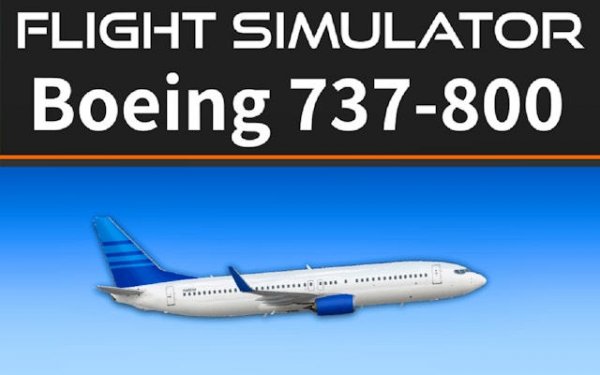
This simulation focuses on the Boeing 737-800, one of the most common variants of the 737 family. The cockpit layout, systems, and performance characteristics are modeled after this specific aircraft type.
Do I need a joystick or special hardware to play?
No. The simulator is designed for keyboard and mouse control. All aircraft systems and flight controls are accessible through these inputs, making it playable on any standard computer without additional peripherals.
Can I save my flight progress and resume later?
The browser-based nature of the simulator means sessions are typically continuous. However, some versions may offer save functionality. Check the specific game page for details on saving and loading flights.
Is there a tutorial or training mode for beginners?
The simulator includes guidance through pre-flight checklists and basic control instructions. Starting with simple flights is recommended to learn the systems gradually before attempting complex routes.
What weather conditions can I set for my flights?
You can adjust weather parameters such as wind speed, visibility, cloud cover, and precipitation. These settings affect aircraft handling and navigation, adding realism and challenge to each flight.
How long does a typical flight take in this simulator?
Flight duration depends on the route you program. Short hops between nearby airports might take 20-30 minutes, while longer routes can last over an hour. You can choose flights that fit your available time.