What players say
How to Slice turns a basic concept into a series of clever puzzles. The slicing mechanic is intuitive, and the gradual difficulty keeps you engaged. Each level has multiple solutions, so you can replay to find better cuts. The game is clean, quiet, and perfect for unwinding. It respects your time and never rushes you.
About this game
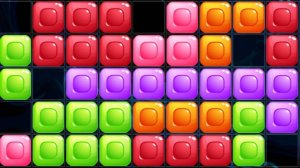
How to Slice is a puzzle game that asks you to cut stones so they fill a deep pit below. The stones sit above the pit, and you draw a line through the stone to slice it. The pieces fall and stack, and your goal is to create a flat surface. The game starts simple but adds new shapes and pit patterns as you progress. The colorful graphics and calm music make it a stress-free experience. Each puzzle can be solved in different ways, so you can experiment and find your own solution. This game is designed for anyone who enjoys thoughtful play without time pressure.
To play How to Slice, tap and hold on the left side of the screen. Drag your finger across the stone to the right side, drawing a straight line through it. When you lift your finger, the stone cuts along that line. The separated blocks fall down into the pit below. Your task is to fill the pit completely so the top is smooth. If the pit is not filled, you can try again with a different cut. The game gives you unlimited attempts, so you can take your time. Later levels have more complex stones and pits, but the controls stay the same. Just drag and release to slice.
Relaxing puzzles with no time limits. Satisfying slicing action when stones break apart. Colorful visuals that are easy on the eyes. Increasing difficulty that keeps the game fresh. Simple controls that anyone can learn quickly.
How to Slice offers a calm way to challenge your mind. The puzzles are satisfying to solve, and the game respects your time. It is a good choice for short breaks or longer play sessions.
❓ Having issues?
✅ This game supports: - Desktop browsers (Chrome, Edge, Safari) - Mobile browsers (Chrome on Android, Safari on iOS) ❌ Does NOT support: - Internet Explorer - Very old browser versions 👉 Try refreshing or updating your browser